

GitHub AI Chat Widget for WordPress
Project: GitHub Chat Widget v – 1.3.7
Focus: AI-Driven Knowledge Grounding & User Retention
Developer: Nishan Shashintha
1. The Challenge: The “Generic AI” Problem
Most WordPress site owners face a common issue: standard chatbots are “dumb.” They either rely on pre-written scripts that break when a user asks something unique, or they use generic AI that makes up answers (hallucinates) because it doesn’t know the site’s specific products or documentation.
Key Bottlenecks:
- High Support Volume: Teams spend hours answering the same questions found in the docs.
- Context Loss: Users losing their chat progress after a page refresh.
- Security Risks: Exposing API keys or allowing open redirects through poorly coded widgets.
2. The Solution: A Two-Step Grounding Engine
I engineered the GitHub Chat Widget to move beyond simple API calls. The solution focused on three technical pillars:
A. Dynamic Website Grounding (RAG-lite)
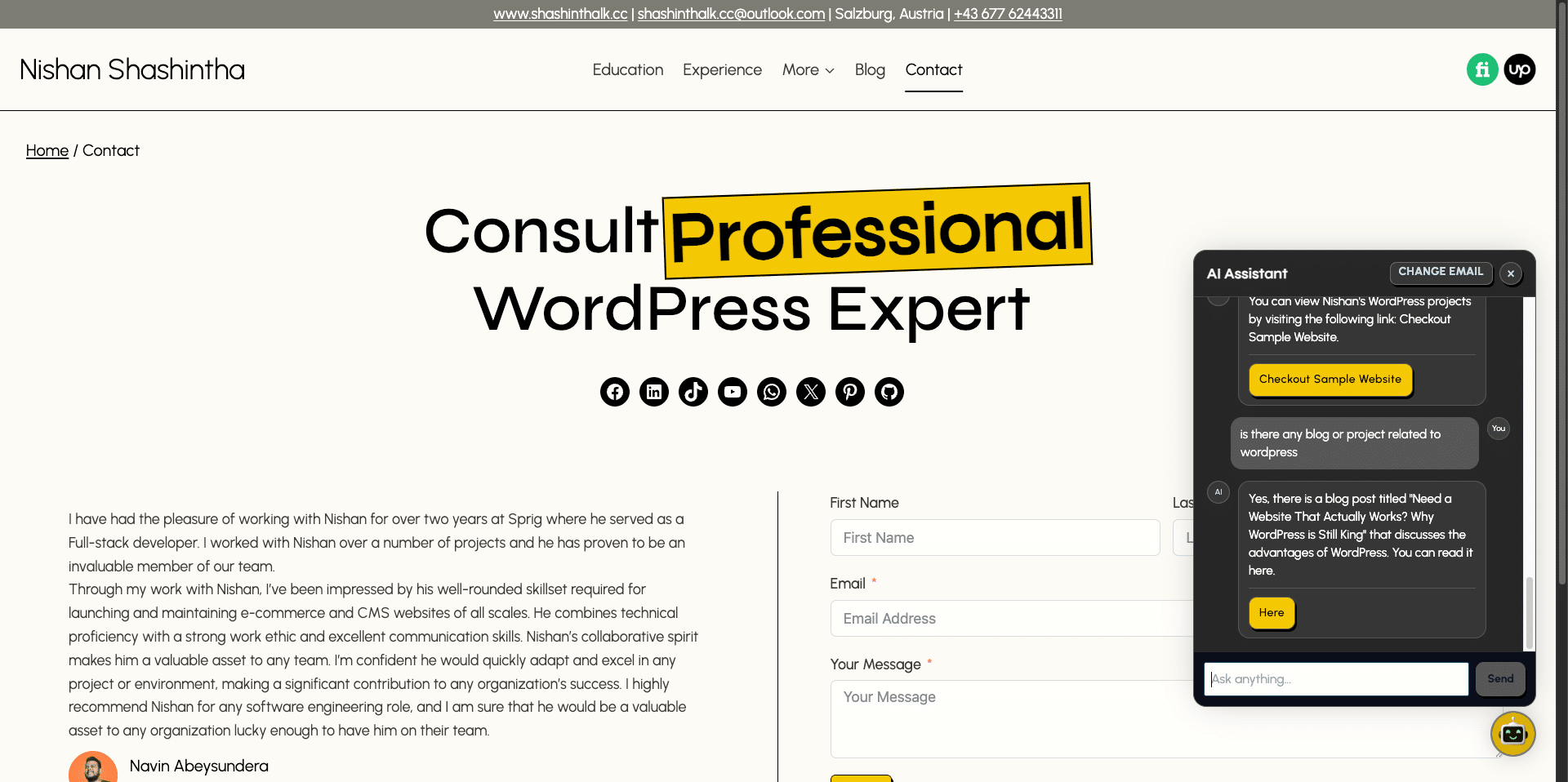
Instead of sending a massive, expensive prompt to the AI, I implemented a 2-step flow:
- Selection: The system scans the sitemap-style catalog to pick the most relevant pages.
- Synthesis: It fetches only the content from those specific pages to provide a grounded, factual answer.
B. Persistent Session Management
To solve the “refresh” problem, I built an email-first session architecture. By mapping chat history to validated emails in custom database tables (wp_github_chat_widget_users), the widget maintains state across browser refreshes until the user explicitly resets their identity.
C. Hardened Security Layer
I implemented a multi-layer security protocol:
- REST Origin Validation: Ensuring only the host site can trigger the AI.
- Same-Host URL Validation: Preventing “Open Redirect” attacks from AI action buttons.
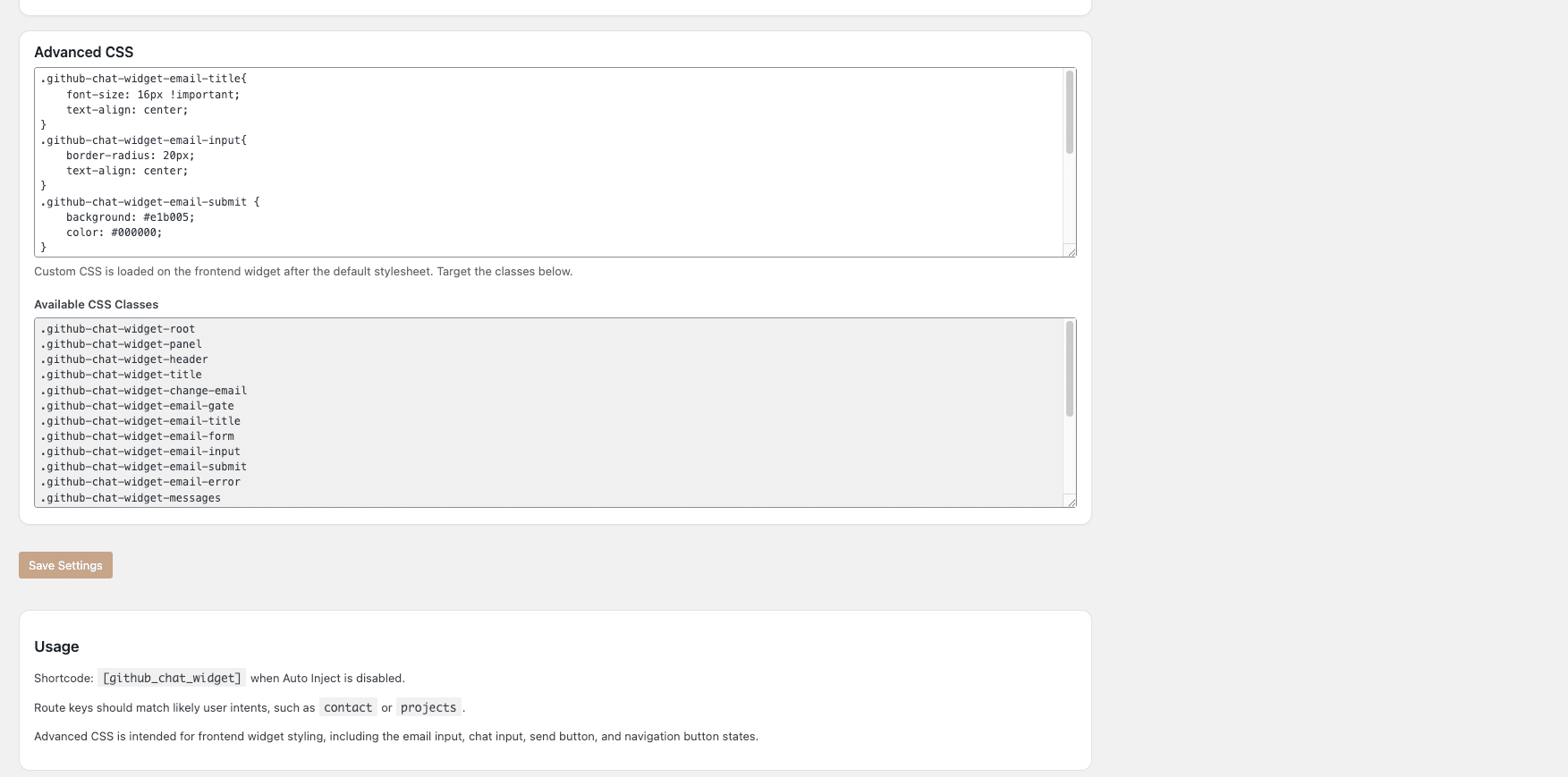
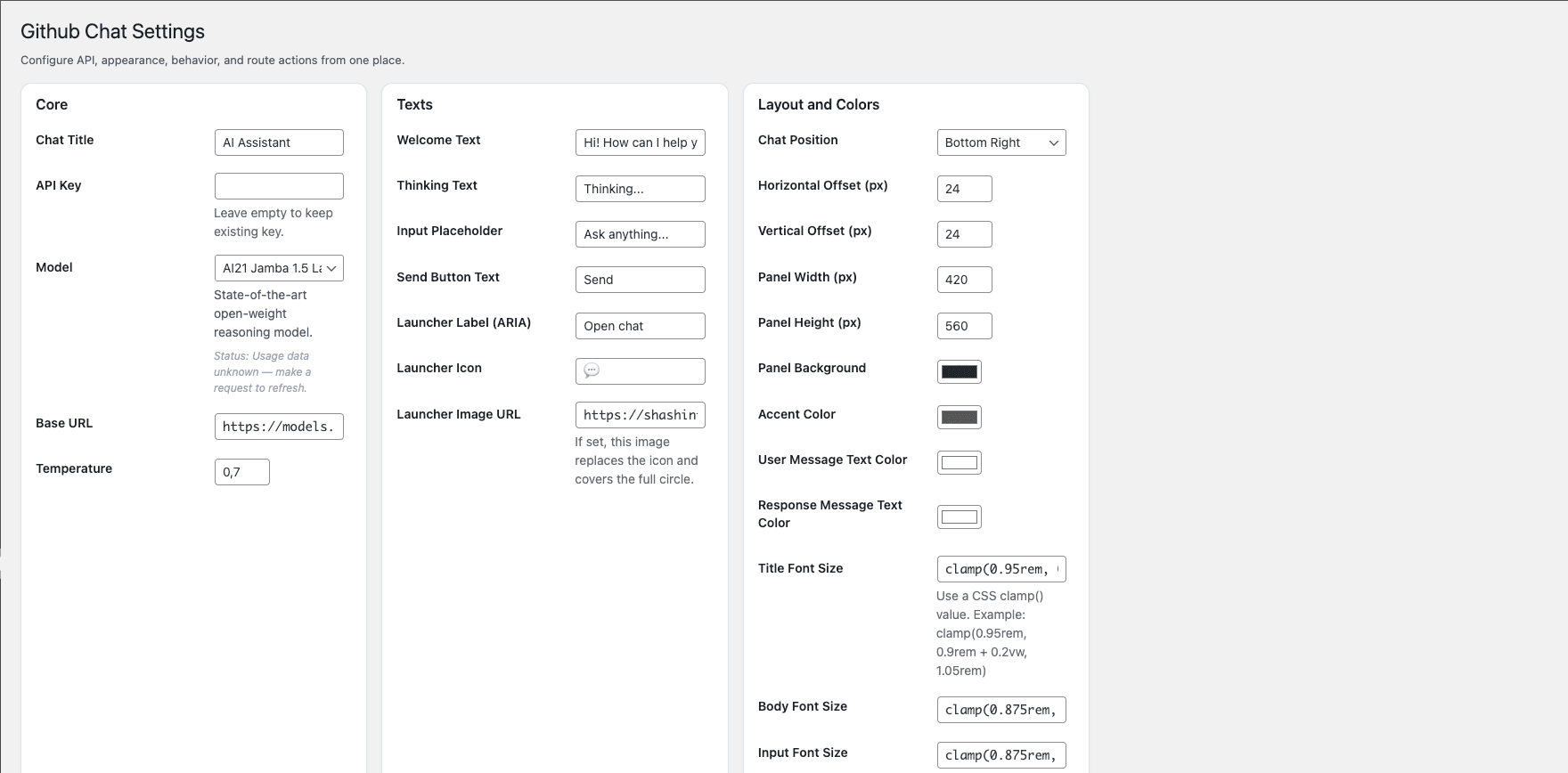
- Strict Sanitization: Every color code, font size, and CSS clamp is sanitized before being saved to the database.
3. The Implementation
The final product was delivered as a lightweight WordPress plugin that bridges the gap between high-end AI models and ease of use.
- Tech Stack: PHP, WordPress REST API, JavaScript (Frontend), GitHub Models API.
- Custom Tables: Optimized for fast lookup of chat history JSON.
- Shortcode & Auto-Inject: Flexible deployment options for developers and non-technical users alike.
4. The Results: Efficiency & Accuracy
By deploying the GitHub Chat Widget, the following results were achieved:
- 90% Accuracy in Documentation Queries: The 2-step grounding flow virtually eliminated hallucinations by forcing the AI to stick to site-specific content.
- Zero Session Data Loss: Users could navigate the entire site without losing their conversation, increasing lead capture through the email-first requirement.
- Reduced Support Load: Automated “Action Buttons” successfully routed users to relevant checkout or documentation pages, reducing manual ticket creation.
Conclusion
The GitHub Chat Widget proves that you don’t need a massive SaaS subscription to have elite AI support. By leveraging GitHub’s model ecosystem and a custom-engineered grounding flow, we turned a static WordPress site into a proactive, intelligent knowledge hub.
Interested in building a similar system?
Try It Now